![Formalize-Logo.png]](https://support.formalize.com/hs-fs/hubfs/Formalize-Logo.png?height=33&name=Formalize-Logo.png)
Overview
The Custom Views feature allows you to tailor how data is displayed in Formalize, giving you full control over what you see and how you see it. You can filter, sort, and organize policies, tasks, or other records according to your preferences, creating personalized views that make it easier to focus on the most relevant information. Custom Views improve efficiency, provide clarity, and help teams quickly access the data they need for decision-making and compliance tracking.
How to create Custom Views
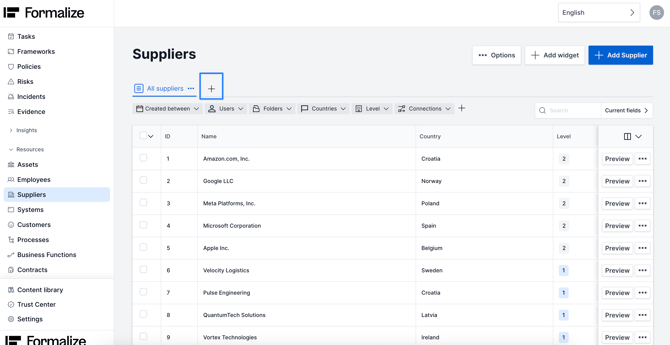
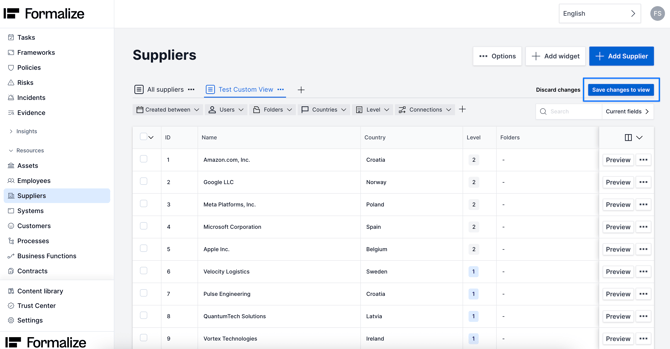
You can create customer views across all Formalize. Let's take Suppliers as an example.
To create a custom view you nee to click on the +.
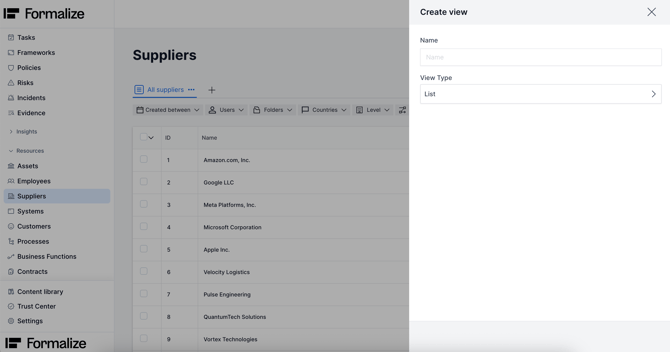
Then you need to name your new view.
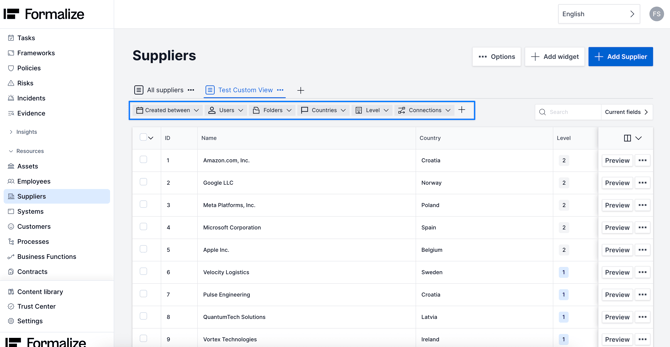
After creating a custom view, you can refine it using the following filters: Created Between, Users, Folders, Countries, Level (suppliers only), and Connections.
These filters allow you to display only the information that matches your selected criteria, making the view tailored to your needs.
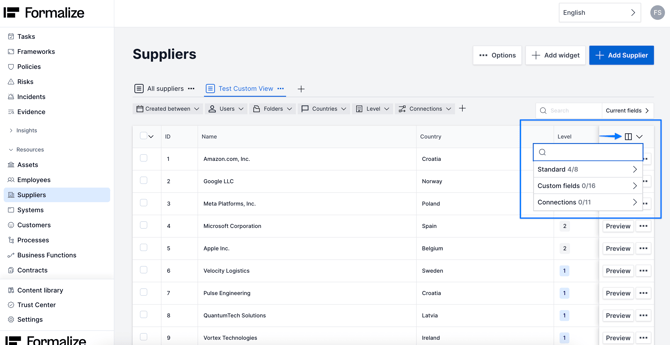
Besides the custom filters, you can also customize your table to be able to view: Standard fields, custom fields and connections.
Remember to always save your view after any changes, by clicking in Save changes to view. The views you create are visible to all users.
by Filipa Simões, Customer Enablement Manager
We hope this article was helpful!
If you need additional support, you are welcome to reach out with any questions by email, at support@formalize.com.