![Formalize-Logo.png]](https://support.formalize.com/hs-fs/hubfs/Formalize-Logo.png?height=33&name=Formalize-Logo.png)
Overview
The Policy Settings section allows you to configure how your policies are managed and maintained. You can assign responsible users, set approval flows and control visibility and access for different employee groups. These settings ensure that every policy stays up to date, properly governed, and aligned with your organization’s compliance requirements.
What are the Policy Settings
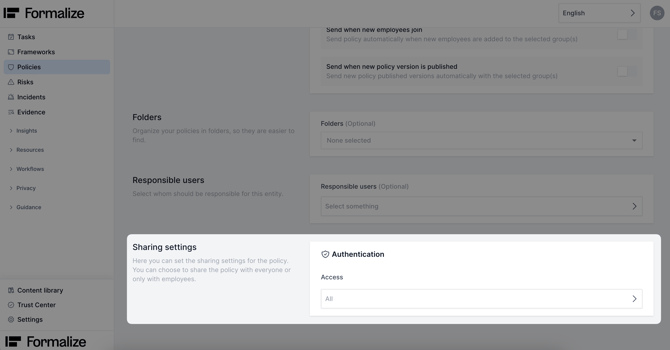
You can find Policy Settings within each policy. Here, you can manage Approval Settings, Acceptance, Folders, and Sharing Settings.
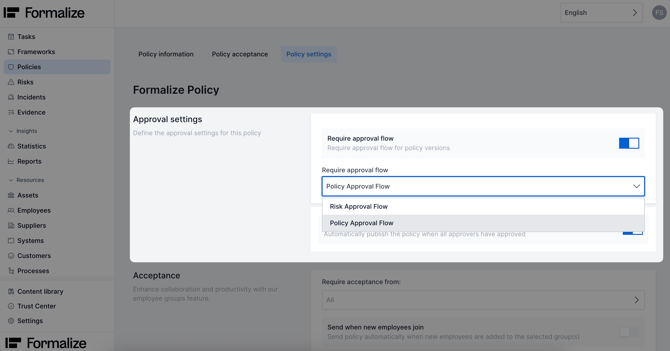
- Approval Settings
In Approval Settings, you can define a pre-set approval flow for your policy before publishing it.
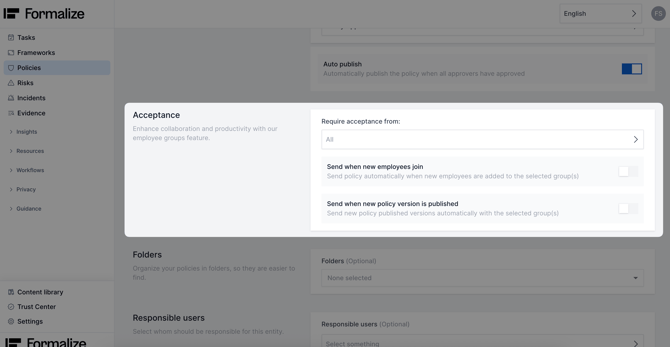
- Acceptance
In the Acceptance area, you can select which pre-defined employee group(s) must accept the policy. You can also configure it so that the policy is automatically sent for acceptance whenever a new employee joins the group or a new policy version is published.
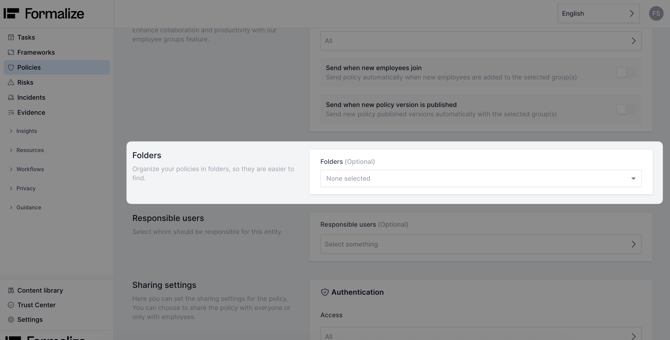
- Folders
Here, you can create or assign a pre-set folder for your policy to keep all policies organized within the module.
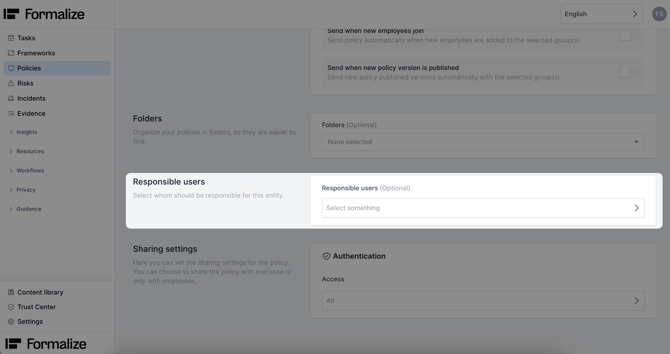
- Responsible users
You can assign one or more users as the owner(s) or responsible person(s) for a specific policy. This can also control their access permissions if configured.
- Sharing settings
If you share your policy via a link, you can make it public, allowing anyone with the link to view it, or restrict access so that only employees can view it using 2FA.
Relevant articles:
by Filipa Simões, Customer Enablement Manager
We hope this article was helpful and that you now have a clear understanding of Policy Settings!
If you need additional support, you are welcome to reach out with any questions by email, at support@formalize.com.