![Formalize-Logo.png]](https://support.formalize.com/hs-fs/hubfs/Formalize-Logo.png?height=33&name=Formalize-Logo.png)
Overview
The rearranging list views feature lets you customize how information is displayed in Formalize tables. You can sort and reorder columns to highlight the most relevant data, making it easier to navigate and analyze. This flexibility helps teams work more efficiently by creating a clear, organized, and personalized view of resources.
How to rearrange elements on the list view in Resources
You can rearrange the columns in your Resources views to display the most relevant data in your preferred order.
To do this, hover over a column name until a three-dotted icon appears. Then, click, drag and drop the column to your desired position.
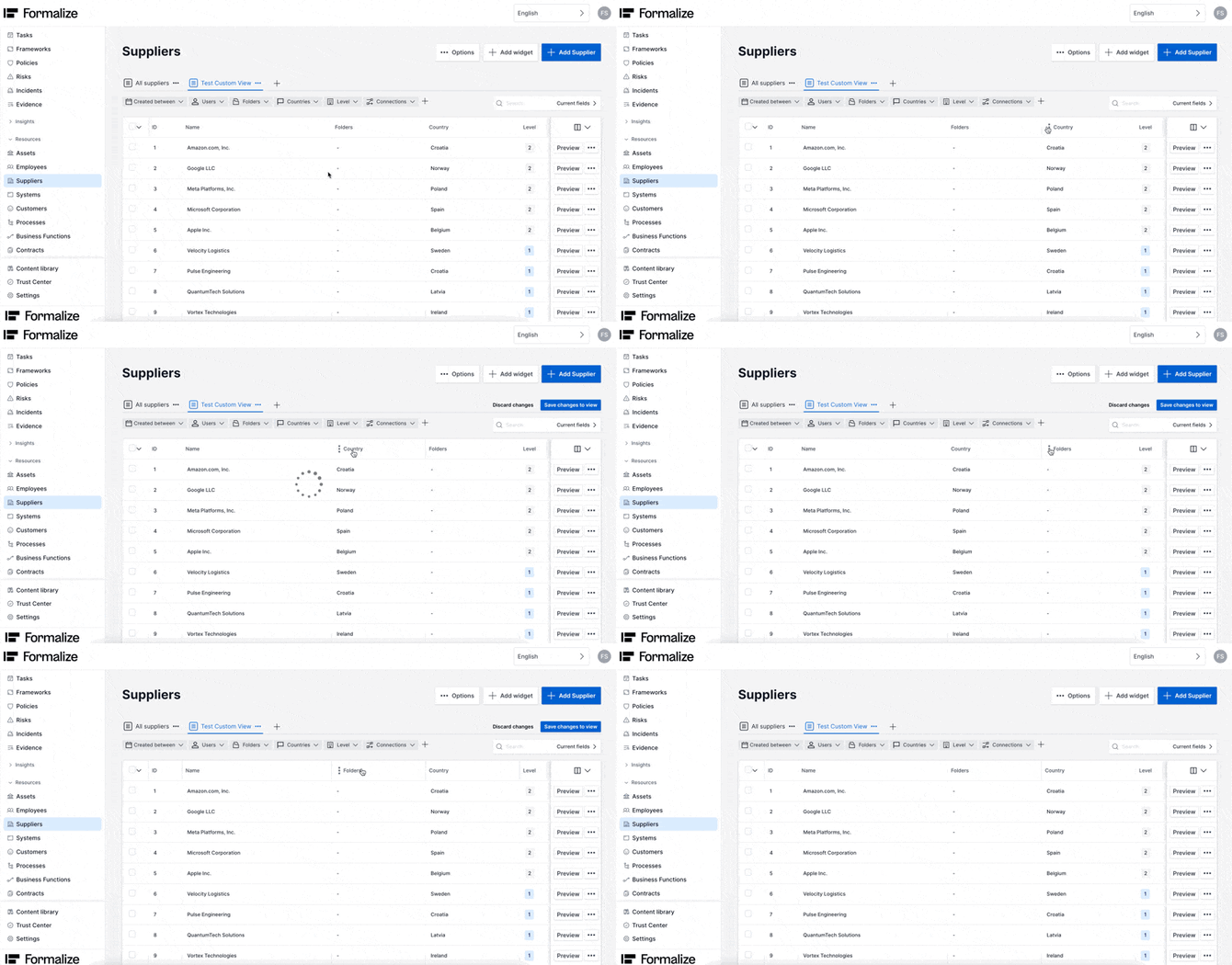
After you just need to save it by clicking in Save changes to view. This changes are visible to all users.
Relevant Articles:
by Filipa Simões, Customer Enablement Manager
We hope this article was helpful!
If you need additional support, you are welcome to reach out with any questions by email, at support@formalize.com.