![Formalize-Logo.png]](https://support.formalize.com/hs-fs/hubfs/Formalize-Logo.png?height=33&name=Formalize-Logo.png)
Responsible User
Throughout the Formalize platform, you will find a Responsible User field for every single data entry. This field allows you to:
- Select users responsible for the entry.
- Mark who is accountable for the data entry.
- Manage security settings: Users with conditional permissions can only view, edit, or delete entries where they are assigned as the responsible user.
Additionally, users marked as responsible receive notifications if these are enabled. Examples include:
- Reminders for tasks
- Alerts when deadlines are due
Roles
Instead of assigning individual users as responsible users for data entries, you can also assign Roles. Roles allow you to group users and assign responsibilities collectively.
Creating a Role
- Go to Employees → Roles → Options → New role
- Give the role a name
- Select the users who belong to this role
The rights assigned to a user inside a role work the same way as for individual users. Any notifications or conditional permissions assigned to the user also apply to them inside the role.
Multi-Entity Setup
Formalize allows combining Responsible Users, Roles, and Access Role permissions for more complex setups across multiple entities.
Example: Contract Management
User John has access permissions to view, edit, and delete contracts where he is the responsible user
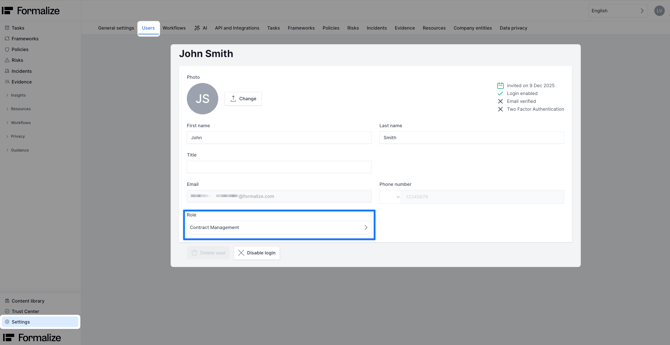
John is a member of the role IT Contract Management.
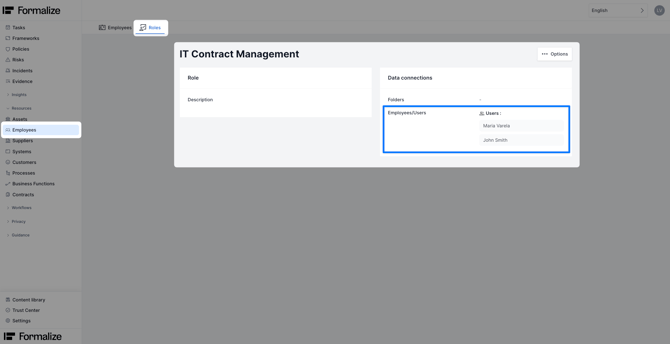
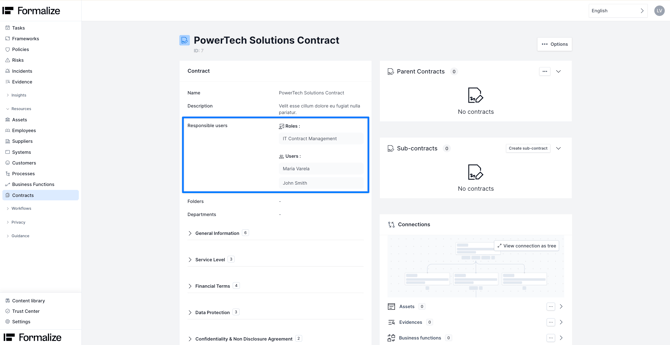
This role can be assigned to all IT contracts inside the Contract Module, giving John access to view these contracts. Contracts outside this role remain hidden from him.
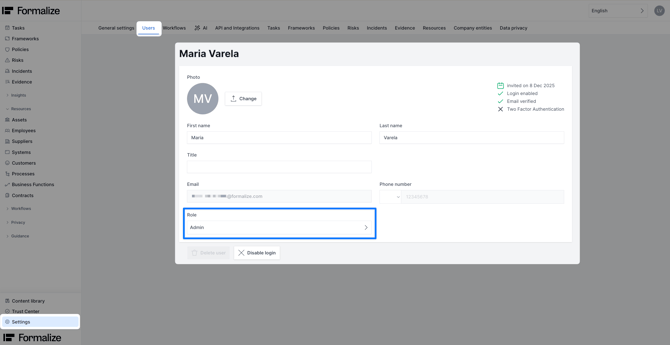
Meanwhile, Maria, who is also part of the IT Contract Management role, has different permissions. She has Admin rights for the account.
She is marked as the responsible user for IT contracts and receives notifications for these contracts as well as John.
In contrast to John, Maria can view all other contracts inside the Formalize account, regardless of responsibility.
Additional Notes
Users can be assigned to multiple roles, allowing flexible access and responsibility management. Combining roles, responsible users, and access permissions ensures data is secure while notifications and responsibilities are always clear.
Common Questions
- What happens if I remove a user from a role?
Removing a user from a role means that the user is no longer responsible for any items where this role is assigned as the 'Responsible User'.
Depending on the user’s access permissions, they may also lose visibility of those data entries. If their permissions only allow access to items where they are the responsible user, they will no longer be able to view, edit, or delete those entries. - What happens if I add a user to a role?
When you add a user to a role, they are automatically treated as a 'Responsible User' for all data entries where that role is assigned.
This means they will:-
Gain access according to their permission setup
-
Become part of all associated notifications
-
Be included in any automated workflows triggered by the item
Adding users to roles ensures they are immediately integrated into responsibility chains and operational processes.
-
by Lea Vietze, Solutions Engineering Team Lead
We hope this article was helpful to understand in depth Responsible Users and Roles!For any additional support, you are welcome to reach out with any questions by email, at support@formalize.com.