![Formalize-Logo.png]](https://support.formalize.com/hs-fs/hubfs/Formalize-Logo.png?height=33&name=Formalize-Logo.png)
Overview
Formalize provides a simple way to structure and present your company's information according to your needs. The Trust Center enables you to document your organisation’s relevant documents in a transparent and accessible manner.
By actively using your Trust Center, you will strengthen transparency, build customer confidence, and benefit from structured, centralised information management.
Where to find the Trust Center
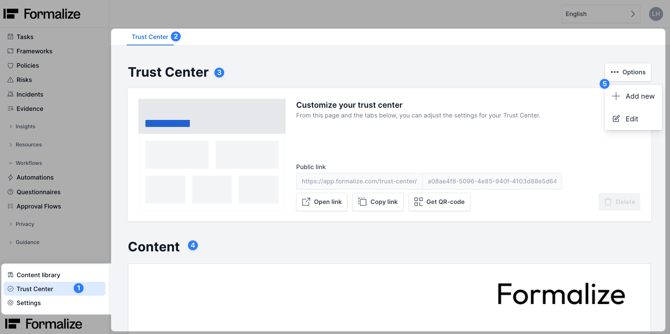
The Trust Center module in Formalize is located at the bottom of the sidebar. This article gives you an overview of:
- The Trust Center
- How to share it
- How to configure it
If you want to add a Trust Center, select Options and click on Add new and choose a name.
Content
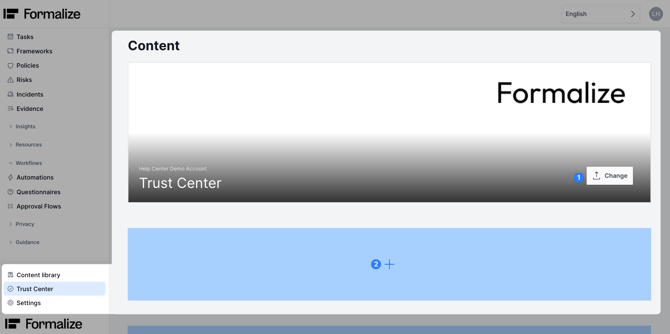
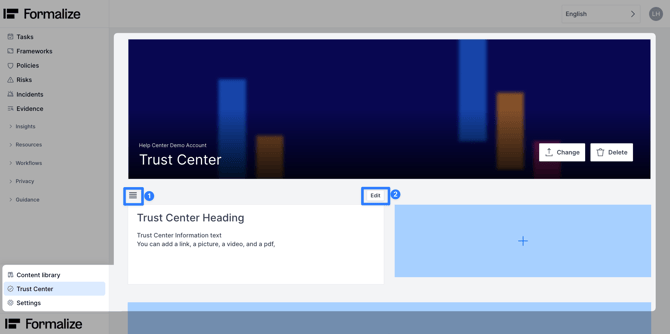
The content part will display the information that the viewers of the Trust Center can see. You can add pictures to the Trust Center, by clicking on Change.
There, you can upload your company logo or any other image you want to display.
In the blue fields you can add information in form of text and various attachments.
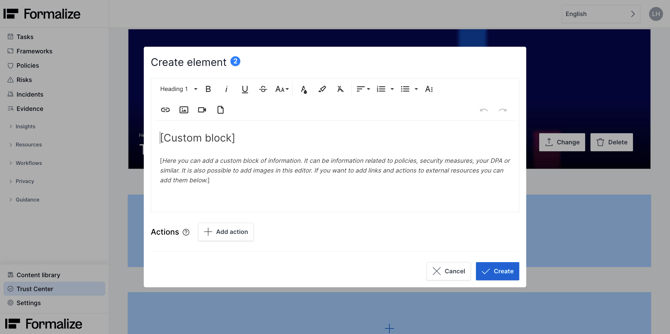
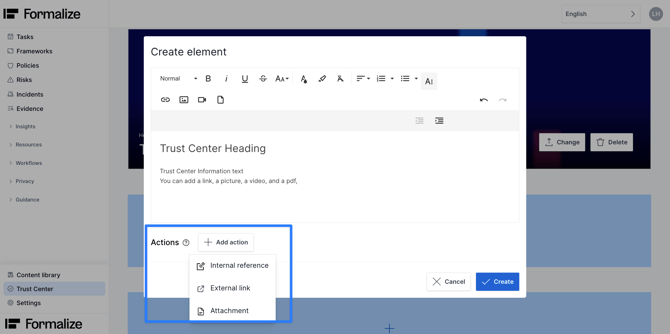
In addition to the information text, you can add an action such as an internal reference, external link, or attachment.
Once created, you can preview the information.
Drag the box using the three horizontal lines to reposition it, and click Edit to make adjustments.
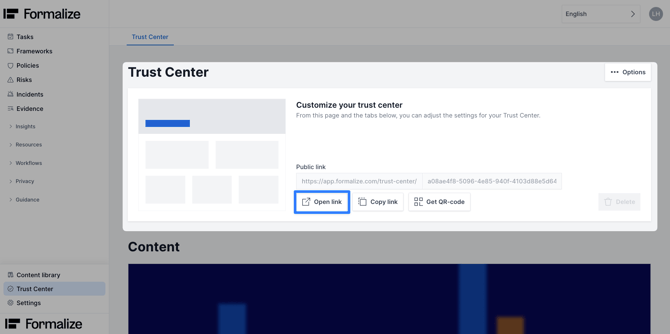
If you want to see it, click Open link to preview how your Trust Center appears to external viewers.
Sharing the Trust Center
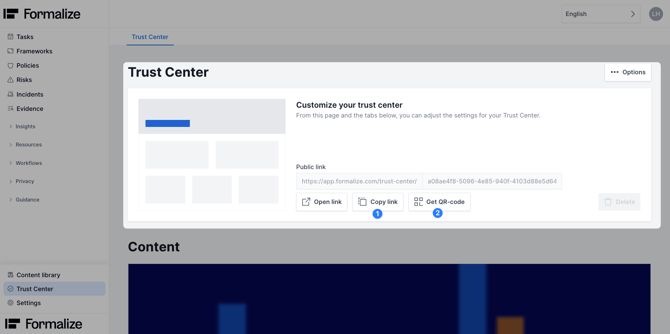
The Trust Center can be shared via a link or QR code. Copy and share the link, or download and share the QR code.
Common Questions
- What if I sent the link to someone who should not have access?
After distributing the link with somebody, you cannot change that link, nor their access. Therefore, you have to create a new Trust Center with the same information. This will enable you to have a new link. The old Trust Center can then be deleted. - Can the Trust Center be limited to employees only?
Everyone with the link can view the Trust Center. To restrict access to employees, the link must not be shared externally. Without sharing the link, only employees with access to the Formalize account can view the Trust Center within the Trust Center module.
by Leni Höpfner, Customer Success Assistant
We hope this article was helpful and that you now have a clear understanding of how to use the Trust Center in Formalize!If you need additional support, please reach out with any questions by email, at support@formalize.com.