![Formalize-Logo.png]](https://support.formalize.com/hs-fs/hubfs/Formalize-Logo.png?height=33&name=Formalize-Logo.png)
Overview
The Risk module in Formalize provides a structured workflow for identifying, assessing, and managing risks. By combining configurable risk types, approval flows, mitigation fields, and custom fields, the module ensures flexibility while supporting consistent risk governance across the organization.
Risk Strategy - Calculated Mitigation
Within the risk, you can view and modify the risk strategy under the Version history section. The default setting is always Strategy Pending. To change the strategy, click on Update risk strategy.
In the newly opened window, you can choose between different strategies and make changes to the risk, including updating probabilities and consequences. The available strategies are:
- Mitigate risk
- Accept risk
- Avoid risk
- Transfer risk
Additionally, any previously created mitigation fields within the risk settings will be displayed here and must be completed with further information.
An article about risk settings can be found [here].
When updating a risk strategy, you can connect previously defined controls or tasks as mitigation connections. Alternatively, you can create a new task immediately.
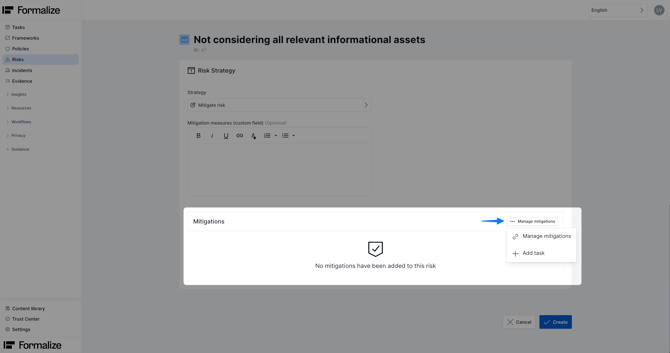
To apply a calculated mitigation strategy, controls need to be connected as mitigation connections. A side window will open where you can select the relevant items by checking the corresponding boxes.
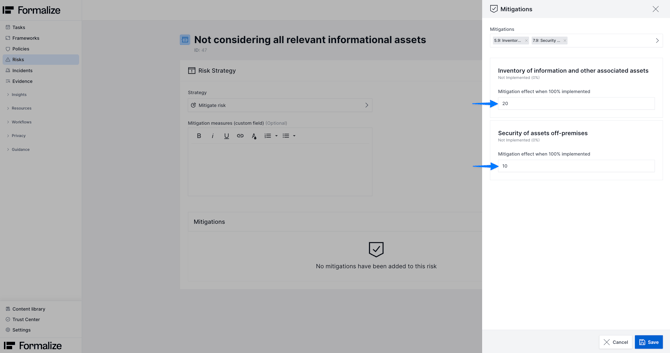
For each mitigation control, you can specify the reduction effect it will have on the risk once implemented.
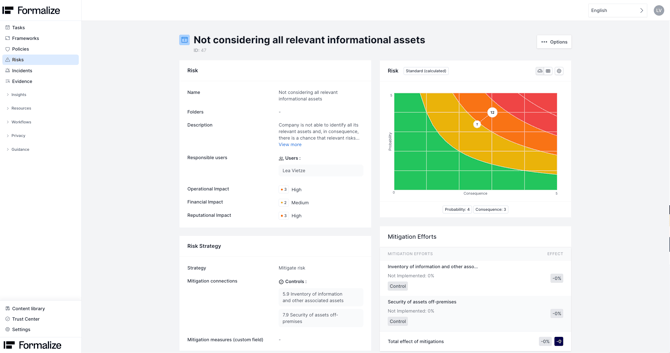
After saving, you will see an overview of the selected mitigation connections, their current status, their current effect on the risk, and the effect they will have once implemented
The newly created risk version includes a matrix showing the risk score progression, including a target for the risk. The target indicates how low the overall residual risk score will be once all mitigation controls are implemented.
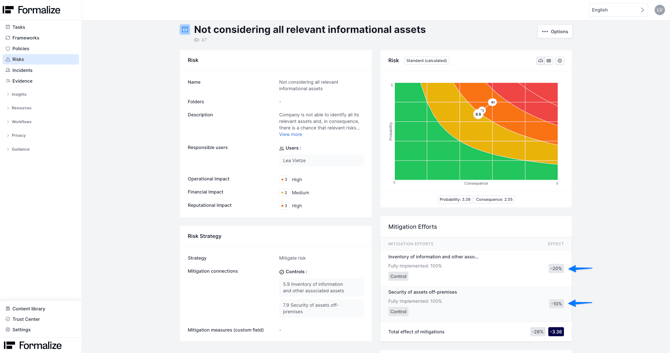
Once the controls are implemented, the overall risk score will automatically update based on the percentages set previously.
Have a look at his article to learn more on how to work with controls.
The newly saved risk strategy can also be found under Version history. You can access previous versions at any time by clicking on them.
Manual vs Calculated Mitigation
Formalize distinguishes between two broad approaches to handling risk mitigation:
- Manual mitigation: where you manually define mitigation actions, controls, or processes to reduce risk. You decide what needs to be done, attach relevant mitigation measures, and set a new score for probability and consequence manually.
- Calculated mitigation: where risk reduction is modelled by Formalize when controls are implemented. In other words, once a control tied to a risk is implemented, Formalize automatically recalculates the residual risk by an overall set percentage, reflecting the lower probability or consequence.
by Lea Vietze, Solutions Engineering Team Lead
We hope this article was helpful in gaining more understanding of Risk mitigation!For any additional support, you are welcome to reach out with any questions by email, at support@formalize.com.