![Formalize-Logo.png]](https://support.formalize.com/hs-fs/hubfs/Formalize-Logo.png?height=33&name=Formalize-Logo.png)
Overview
Publishing a policy is the final step in making it officially available to your employees. Once your policy is drafted and approved, you can publish it directly from the platform to ensure everyone has access to the most up-to-date version. Publishing locks the content of that version, preserves a complete audit trail, and replaces any previously published version.
How to Publish a Policy
In Formalize, you can publish a policy in two ways: either publish it directly or submit it for approval. This article explains how to do both.
- Publish Directly
Once your policy is ready, you can publish it immediately by clicking Publish. This will lock the current version, preventing any further edits.
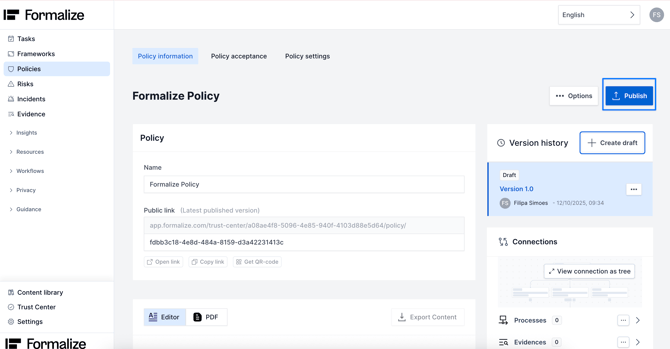
- Submit for approval flow
If you have a pre-defined approval flow that you want your Policy to go through before being published you need to:
-
- Select the desired Policy and go to Policy Settings
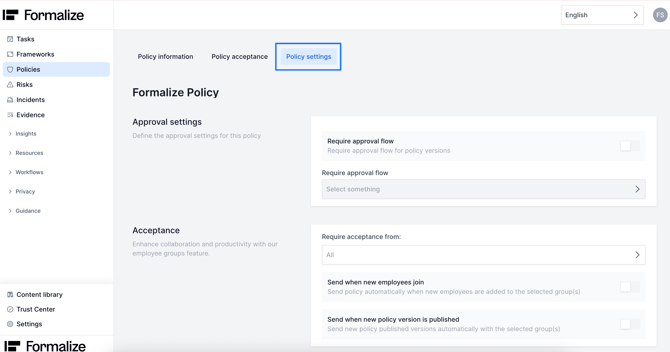
-
- Activate the approval flow setting and select the relevant one
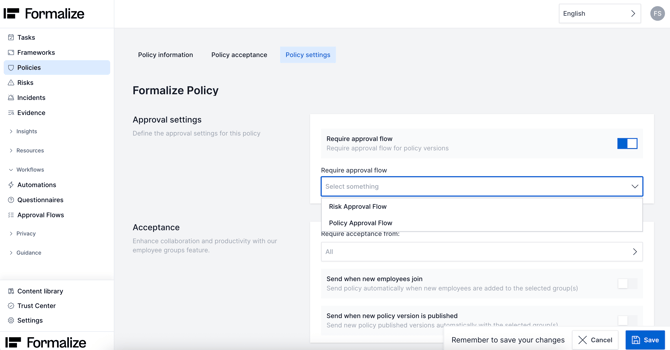
-
- Back in Policy information you need to Request review. This will trigger an email notification for the users associated with the chosen approval flow.
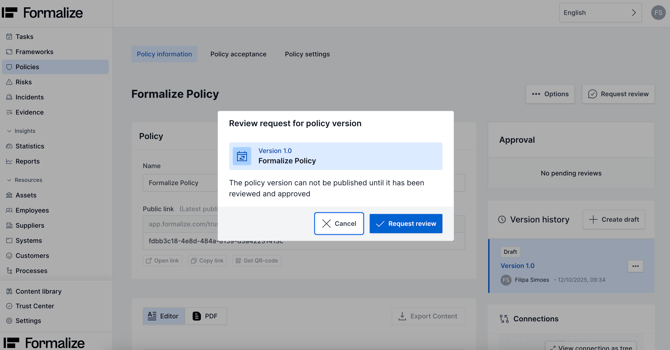
-
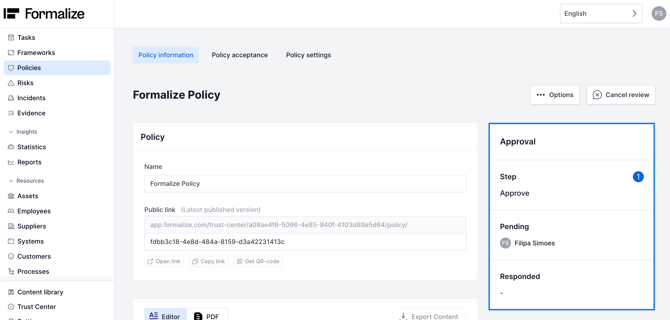
- You will now be able to see an Approval section on the right side of your policy, and you can follow the steps.
-
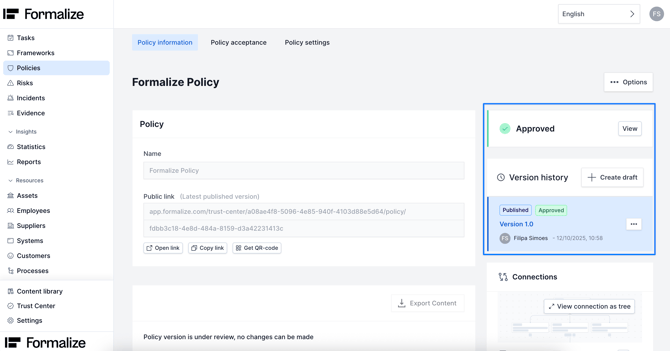
- Once the Policy is approved, it will publish automatically and you cannot edit that version again.
Relevant articles:

by Filipa Simões, Customer Enablement Manager
We hope this article was helpful and that now you can Publish your policies!
If you need additional support, you are welcome to reach out with any questions by email, at support@formalize.com.